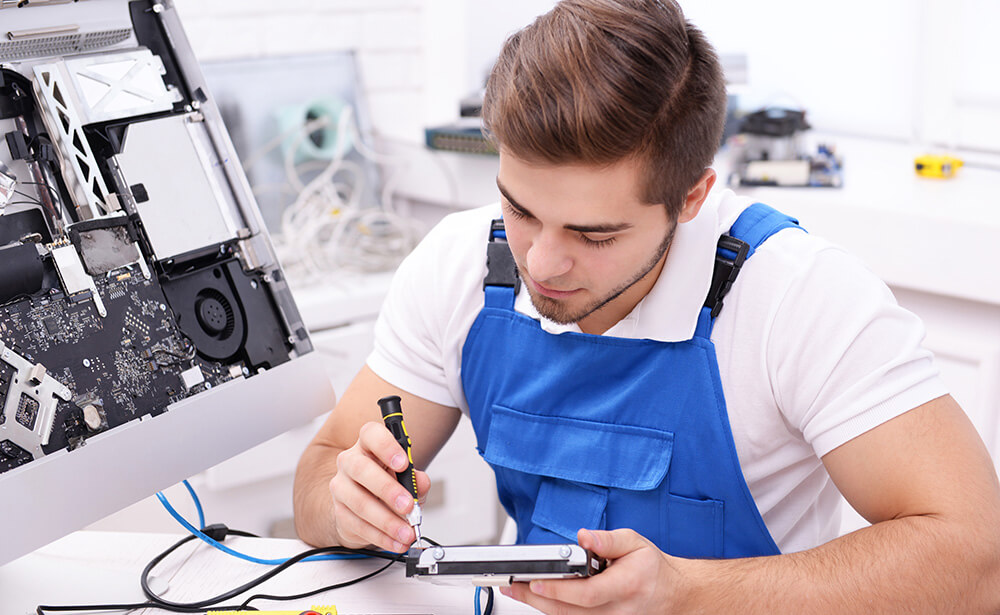
Regular computer maintenance helps keep your device running smoothly and extends its lifespan. Simple steps like cleaning dust from hardware, updating software, running antivirus scans, and organizing files can prevent slowdowns, overheating, and data loss. Whether it’s a laptop or desktop, consistent care ensures better performance and fewer repair needs.
Nulla sed mi leo, sit amet molestie nulla. Phasellus lobortis blandit ipsum, at adipiscing eros porta quis. Phasellus in nisi ipsum, quis dapibus magna. Phasellus odio dolor, pretium sit amet aliquam a, gravida eget dui. Pellentesque eu ipsum et quam faucibus scelerisque vitae ut ligula. Ut luctus fermentum commodo. Mauris eget justo turpis, eget fringilla mi. Duis lobortis cursus mi vel tristique. Maecenas eu lorem hendrerit neque dapibus cursus id sit amet nisi. Proin rhoncus semper sem nec aliquet.
🧹 Clean your hardware
Dust vents, fans, and keyboards to prevent overheating and damage.
🧠 Monitor performance
Use Task Manager or Activity Monitor to spot resource hogs.
🔄 Restart regularly
Rebooting clears memory and helps your system run smoother.
🛡️ Run antivirus scans
Detect and remove malware before it causes trouble.
🧼 Clear junk files
Use disk cleanup tools to free up space and boost speed.
🔧 Update software and drivers
Stay current to avoid bugs, crashes, and security risks.
💾 Back up your data
Protect important files from accidental loss or system failure.
🔌 Check cables and connections
Loose or damaged cables can cause power or display issues.